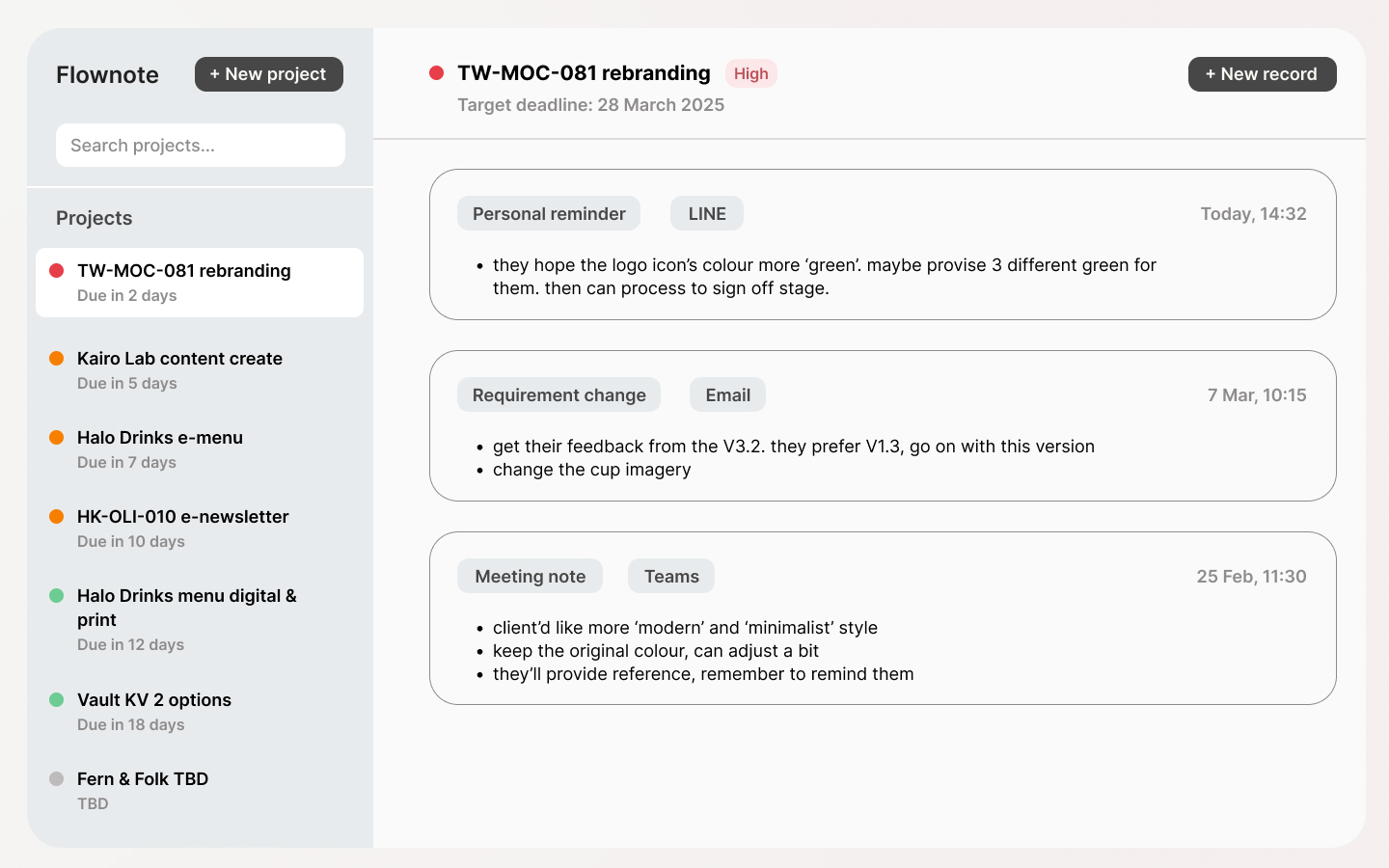
FlowNote is a personal work memory tool for anyone managing multiple projects which is lighter than a project tracker, more structured than a notes app.
FlowNote 是專為多專案工作者設計的個人工作記憶工具概念,它介於專案管理工具和筆記本之間:比專案管理工具輕量,但比備忘錄更有結構。
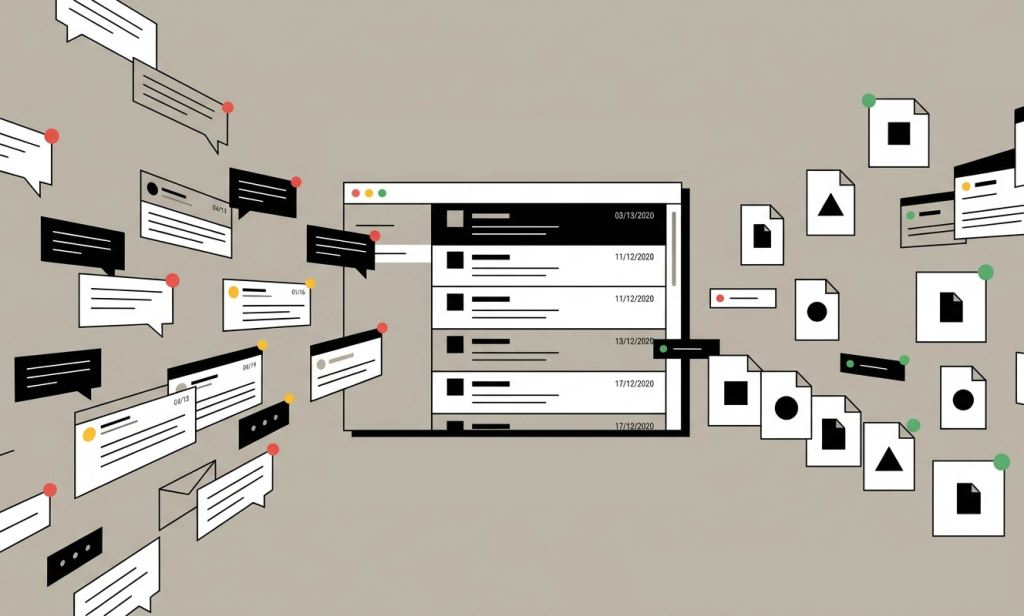
When we’re cope with multiple projects, important updates and client requests end up scattered across meeting notes, email, LINE and ASANA…and so on. You don’t need another project tool but need one place to capture what’s happening, and find it again when it matters.
我在前一份工作時常常需要同時跑多個專案,重要的更新與客戶新需求或回饋卻會散落在會議筆記、Email、和 Teams 對話紀錄 …等,非常分散,在查找時非常費時又費力。我希望能解決資料分散的問題,因此提出 FlowNote 這個工具概念:一個能快速用自己的方式記下來,之後也方便查找的地方,而不是再一個專案管理軟體。
Project Overview
Problems
People managing multiple projects using two parallel systems: an official tool for the team, and a personal notes app for themselves. The personal layer (where real context lives) is fast to write but nearly impossible to search. When a client changes requirements or a manager asks for a status update, the answer is buried somewhere across three different apps.
Goals
Design a lightweight personal tool that makes it easy to record project updates in the moment, and find them quickly when needed without becoming another project management tool.
My Role
Solo & end-to-end designer, from problem definition and user research through information architecture and UI design.
Responsibilities
・Defined the problem space and project scope
・Conducted preliminary research and user interviews
・Developed user flows and information architecture
・Designed wireframes and final UI in Figma
User Research
Usability Study: Parameters
- Study type: Mixed methods, moderated interview (2 participants) and unmoderated survey (2 participants)
- Location: Taiwan, remote
- Participants: 4
- Length: 5–10 minutes
Summary
To validate my hypothesis, I conducted a survey with 4 participants from different roles: a designer, a sales assistant, an engineer and a marketing specialist.
The goal was to understand how people currently track project progress and what happens when information becomes scattered across multiple tools.
Key Findings



Everyone uses two or more systems for communicating and record
All participants used an official tool (typically offered by company) along with a personal one (OneNote, Apple Notes, calendar). One participant kept a personal copy because information in the company system could get lost or become hard to find.
Information gets buried, and retrieval takes effort & time
Every participant had experienced important updates getting buried in messages or emails. Workarounds ranged from logging information immediately into a personal note, to suggesting that management limit communication to a single channel, both signals of how disruptive scattered information can be.
Time and progress updates are the most-needed information
When asked what they most frequently needed to look up, participants cited: client requirements, current progress, deadlines and recent updates. The common thread is recency, people need to know what changed, and whether the timeline or scope still holds.
Persona
Problem statement:
Marcus is a validation engineer who needs a way to quickly capture and retrieve project updates because important information gets buried across meetings, emails, and personal notes, those making him spend more time and effort than necessary to stay on top of multiple projects.

Goals
To stay on top of multiple projects without spending too much time hunting for information that should already be at hand.
Frustrations:
- Important information gets buried in emails and meeting threads
- Hard to get a quick overview of what’s happening across all projects
- Keeps personal notes as a backup because the company system can lose information
User journey map
| Receive information | Log the record | Continue working | Get asked for an update | Retrieve & respond | |
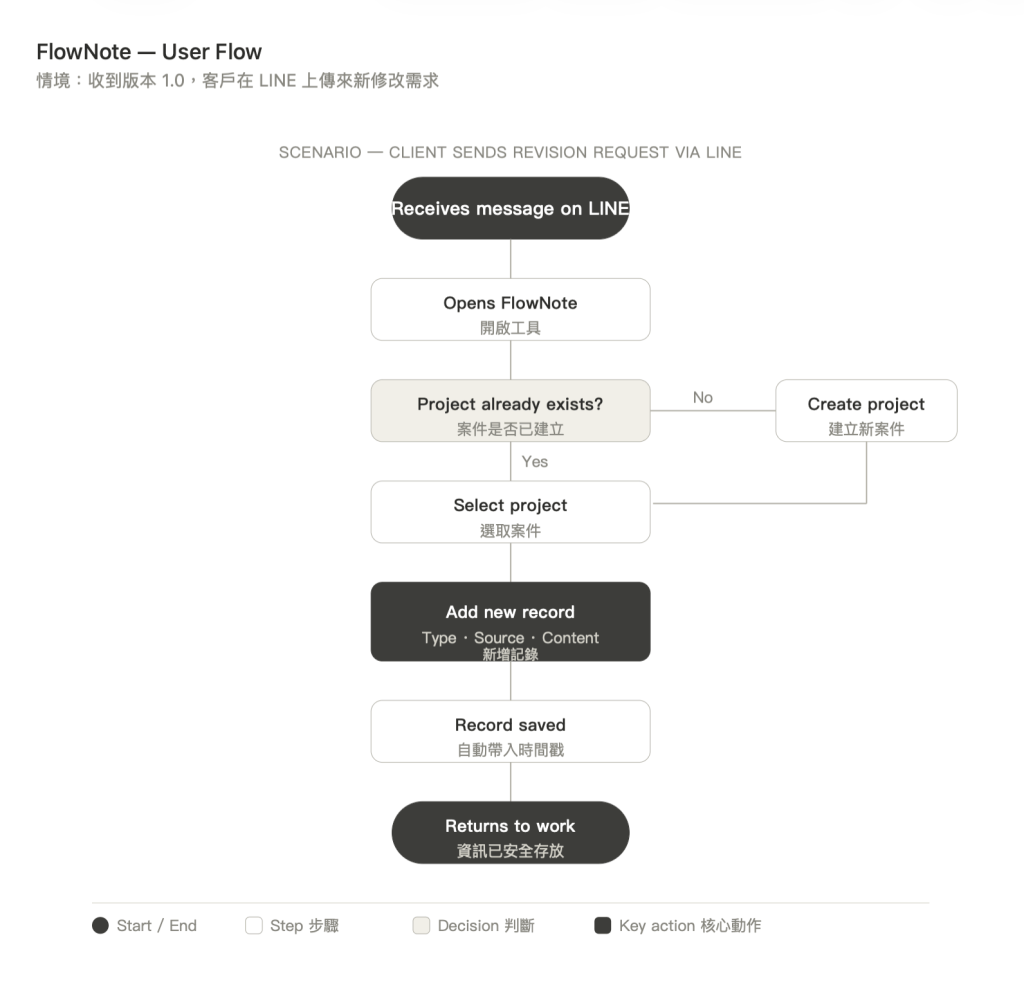
| Task list | After reviewing v1.0, the client sends revision requests via LINE: colour changes, copy updates, layout adjustments | Opens FlowNote, selects the project, adds a new record: type “Requirement change”, source “LINE”, notes the client’s requests | Returns to work. The record is saved with a timestamp and no need to keep the LINE thread open as a reminder | Manager asks what changes the client requested and whether the deadline is still on track | Opens FlowNote, finds the project, reads back the record; responds clearly without searching through LINE |
| Feeling | Concerned the requests will get buried as the LINE thread keeps moving | Wants to log it quickly and get back to work, any extra steps feel like friction | Calm, the update is captured and no longer relies on memory or an open chat window | Caught off guard, needs to recall the details fast without looking unprepared | Confident and in control, the information is exactly where it was left |
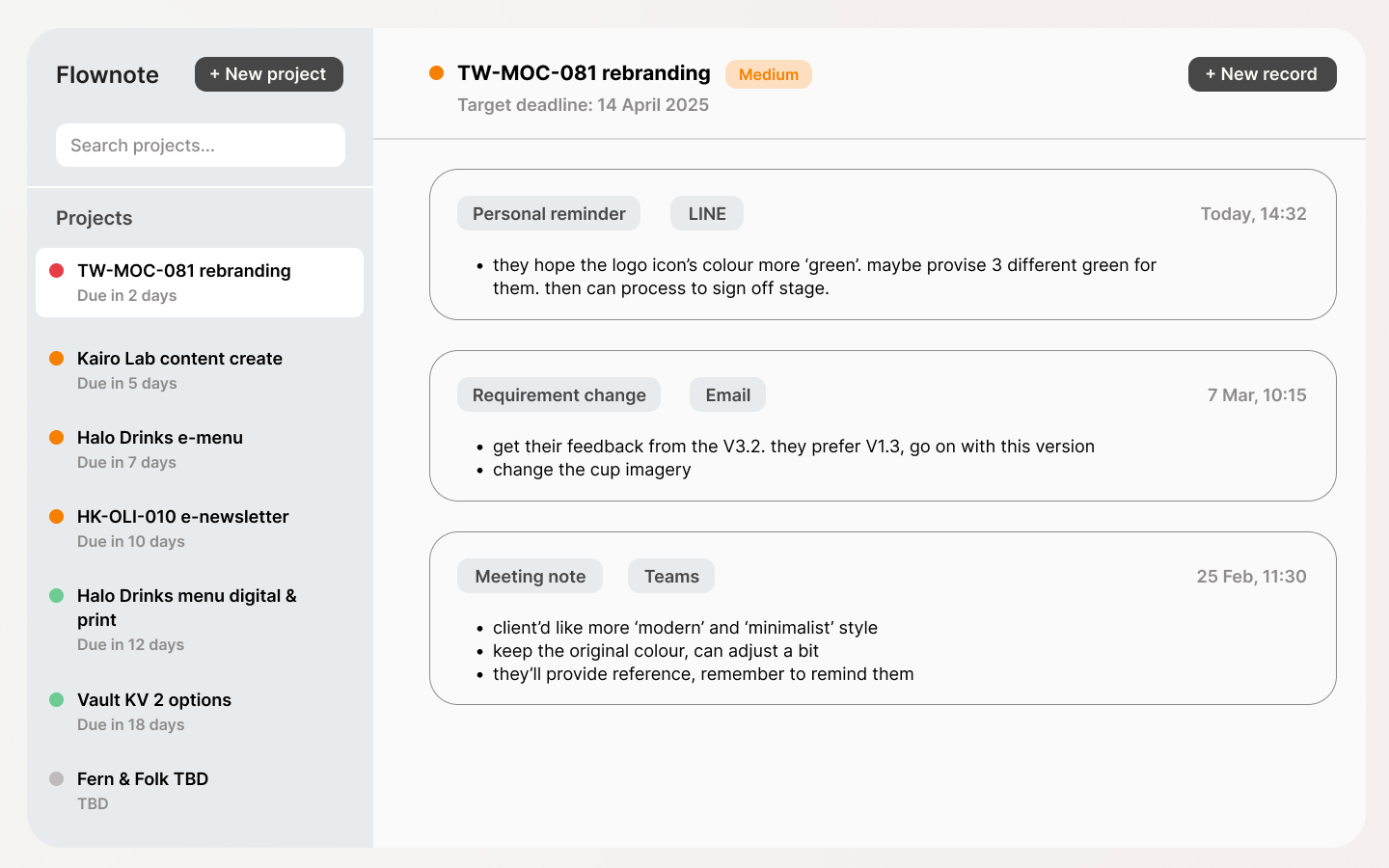
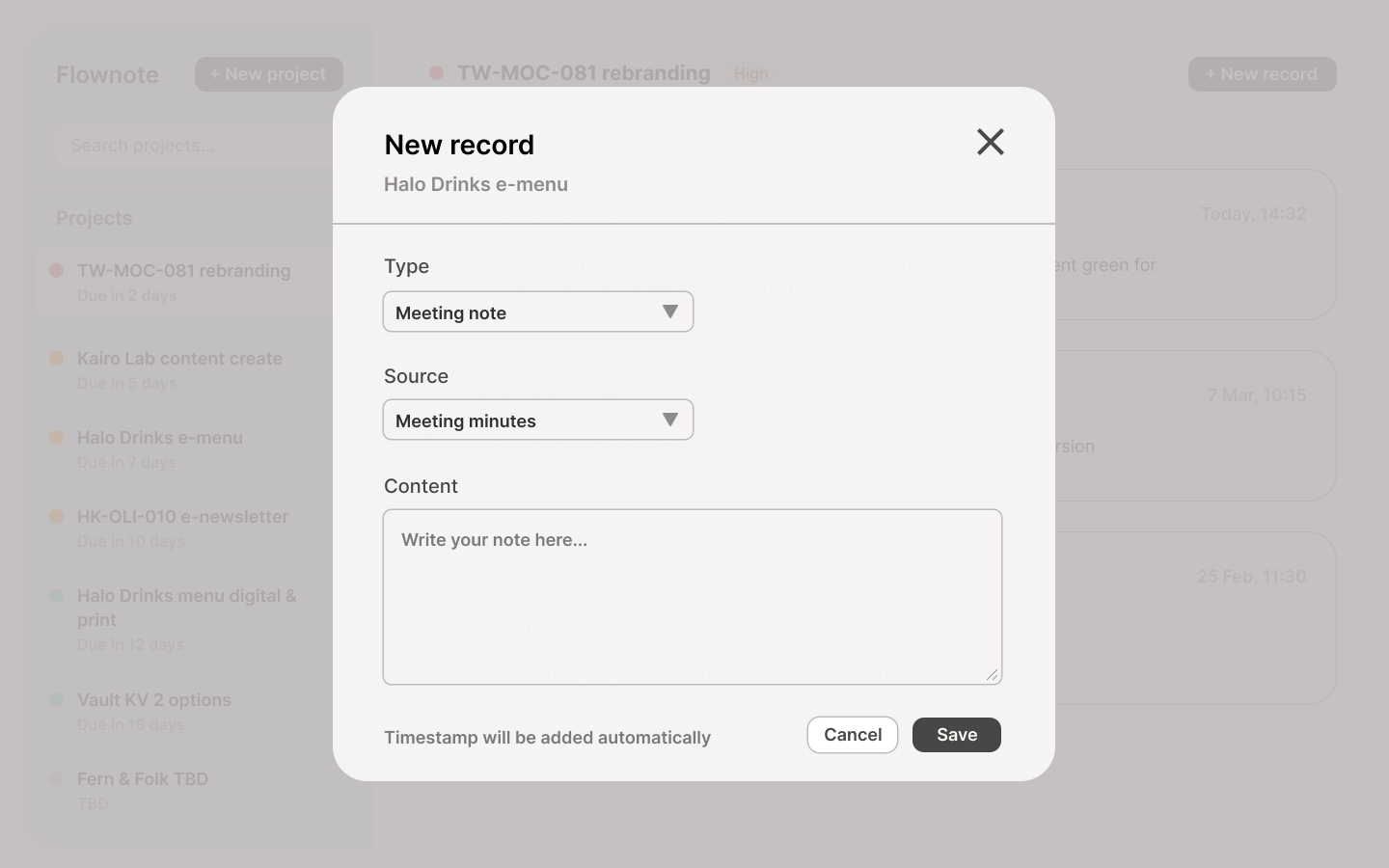
| Opportunities | Make opening a project feel as fast as opening a notes app: zero loading, immediate access | Keep the input form minimal: type and source as dropdowns, timestamp added automatically | Show a confirmation after saving so the user knows the record is safely stored | Surface project name and priority instantly in search results, no extra clicks to see status | Display records in reverse chronological order with type labels clearly visible at a glance |
Design Decisions
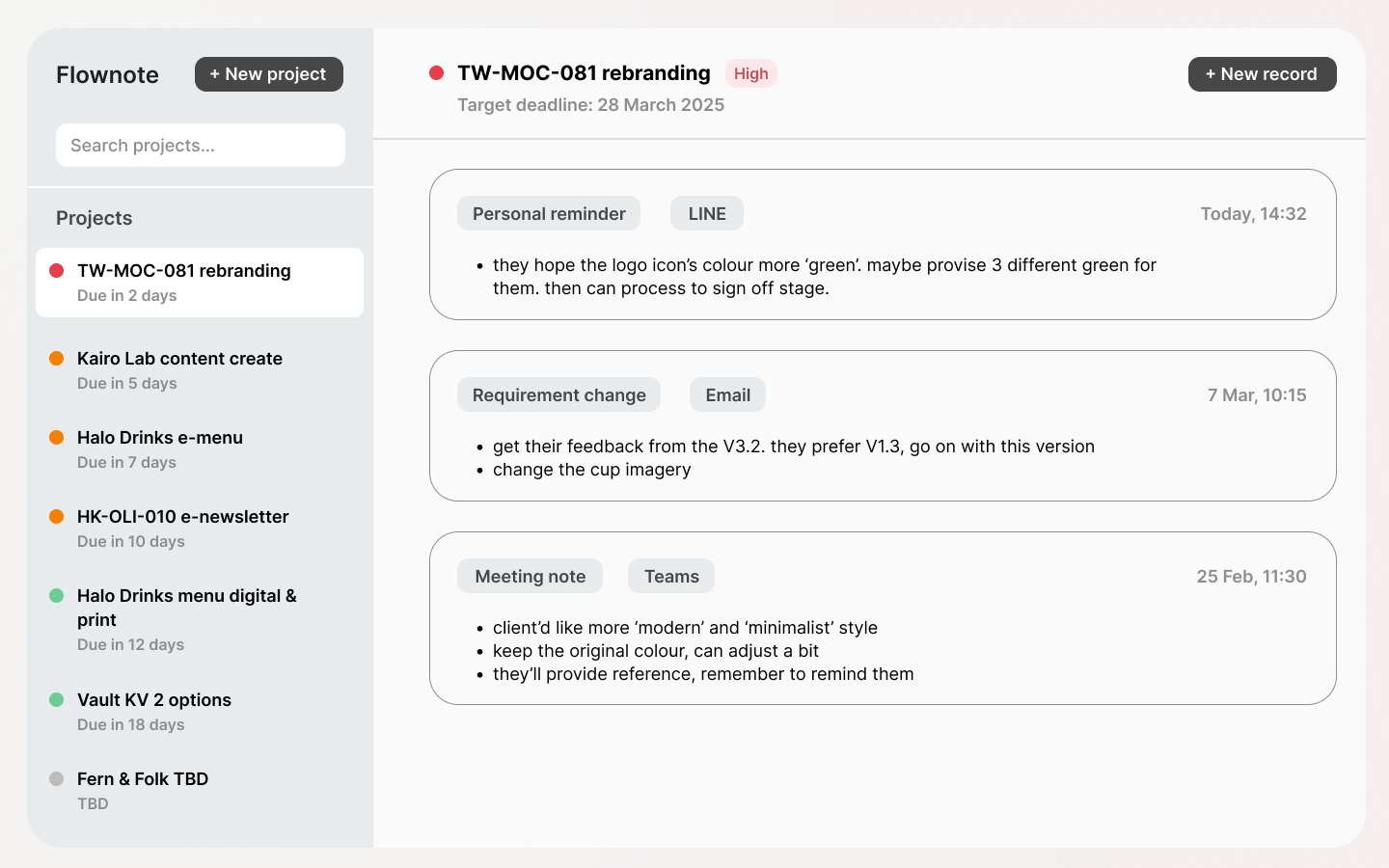
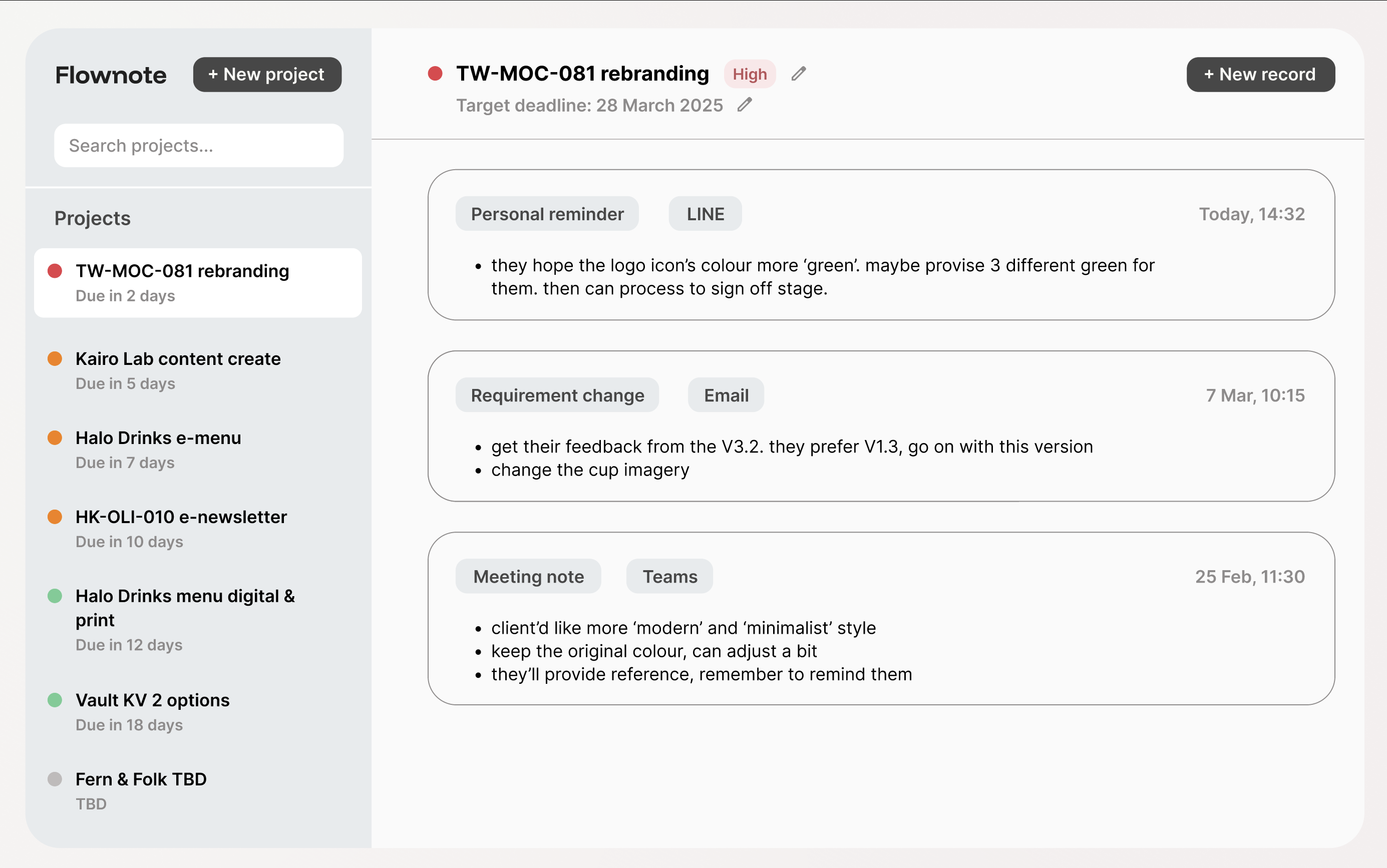
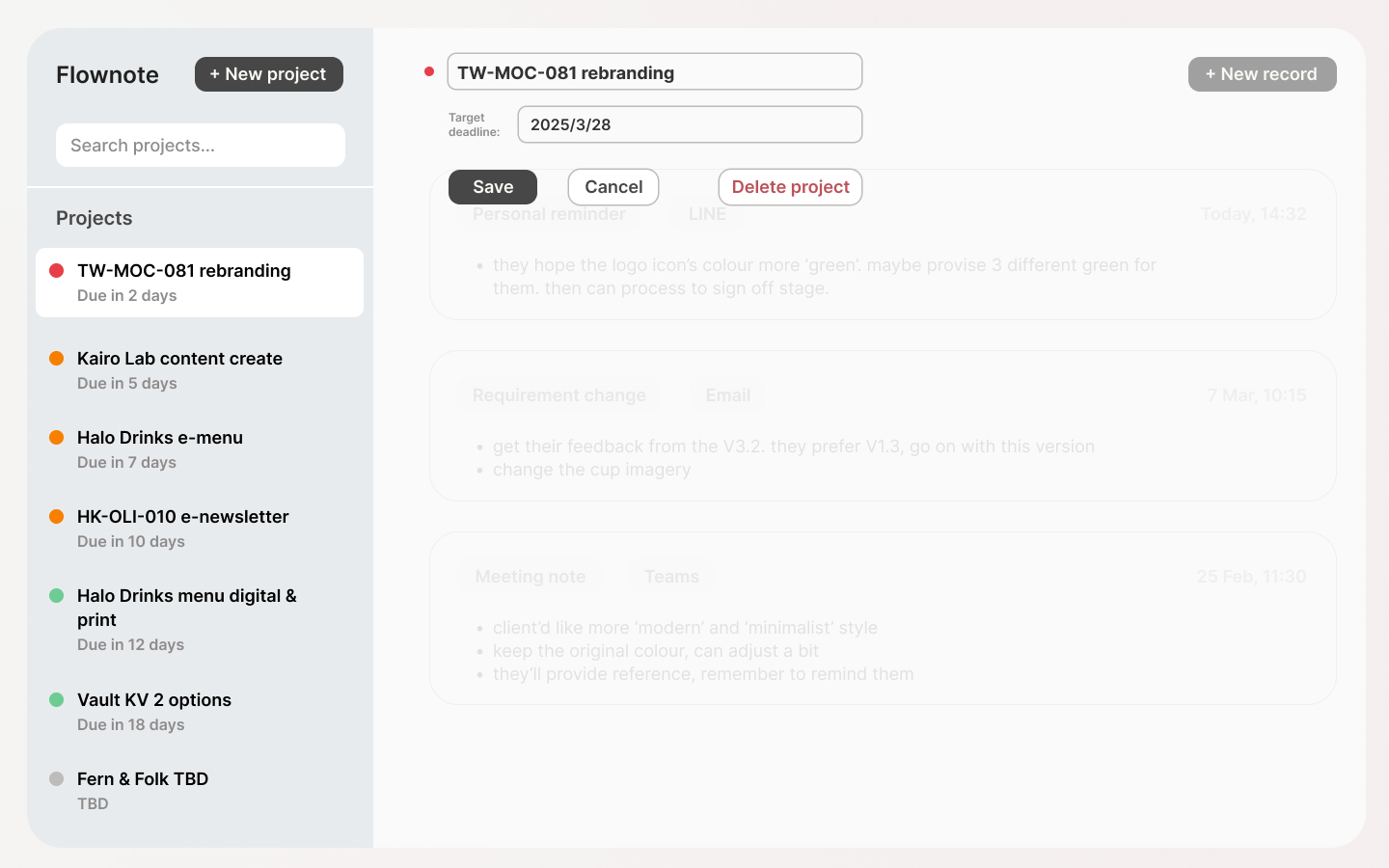
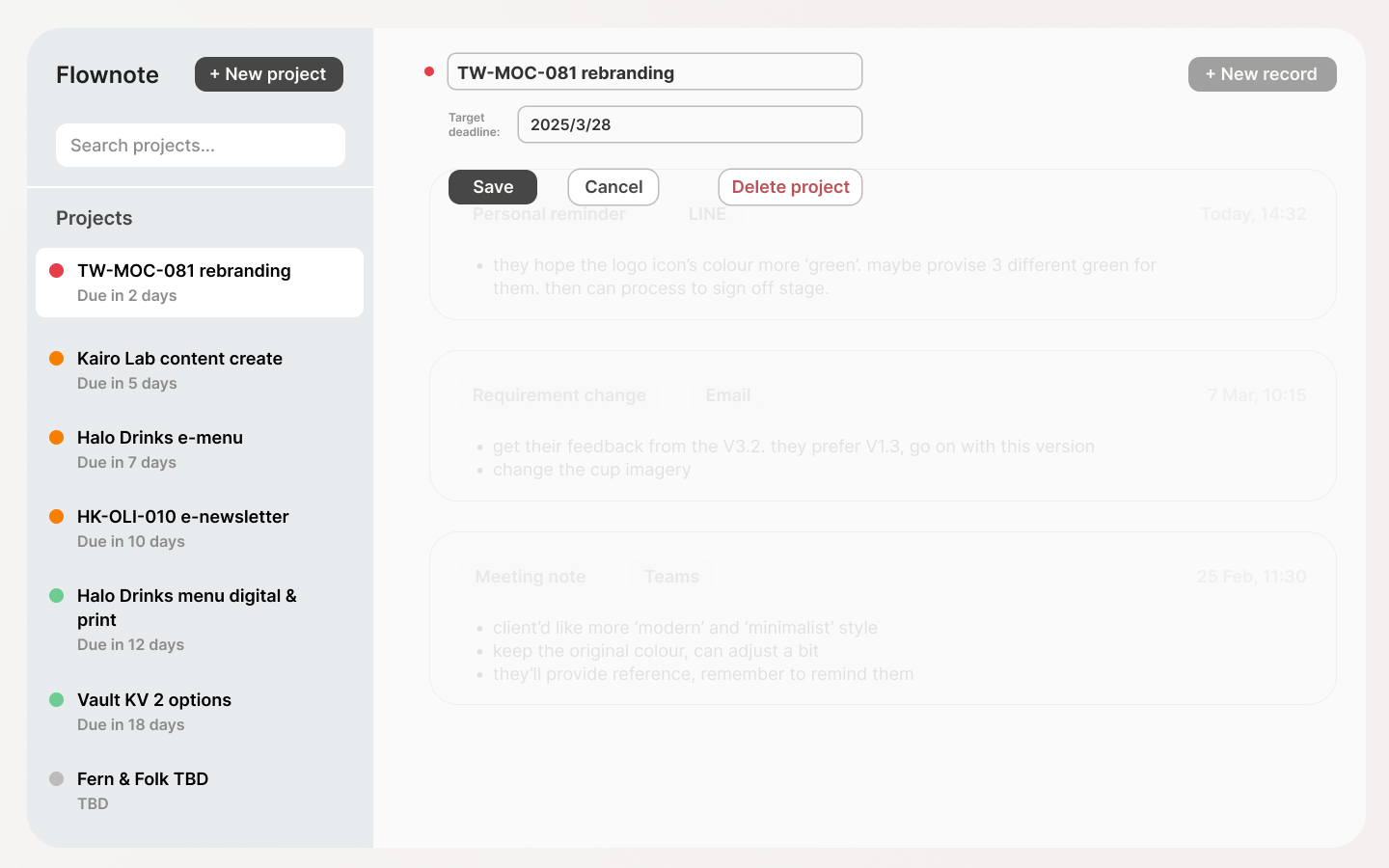
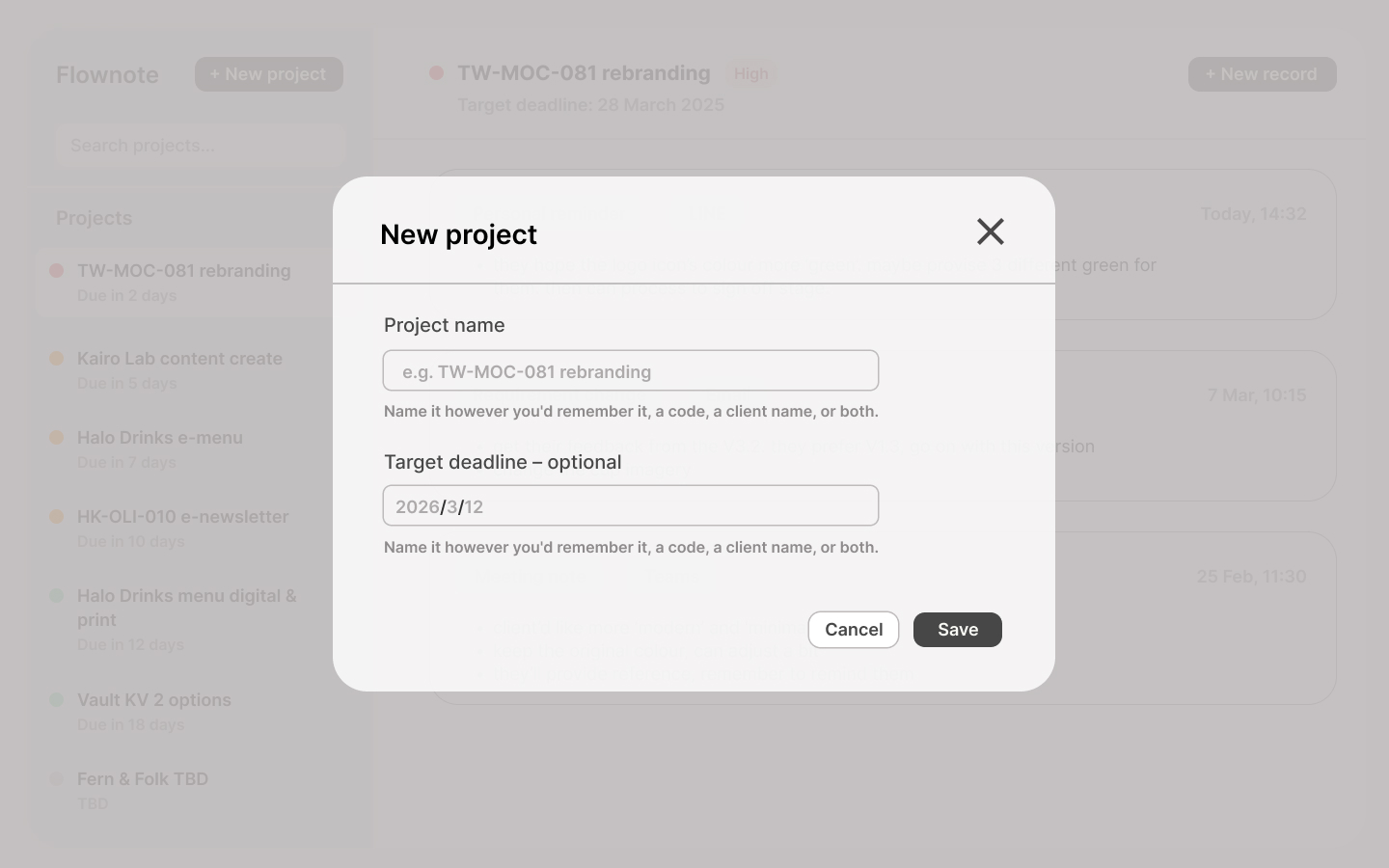
- Minimal project setup
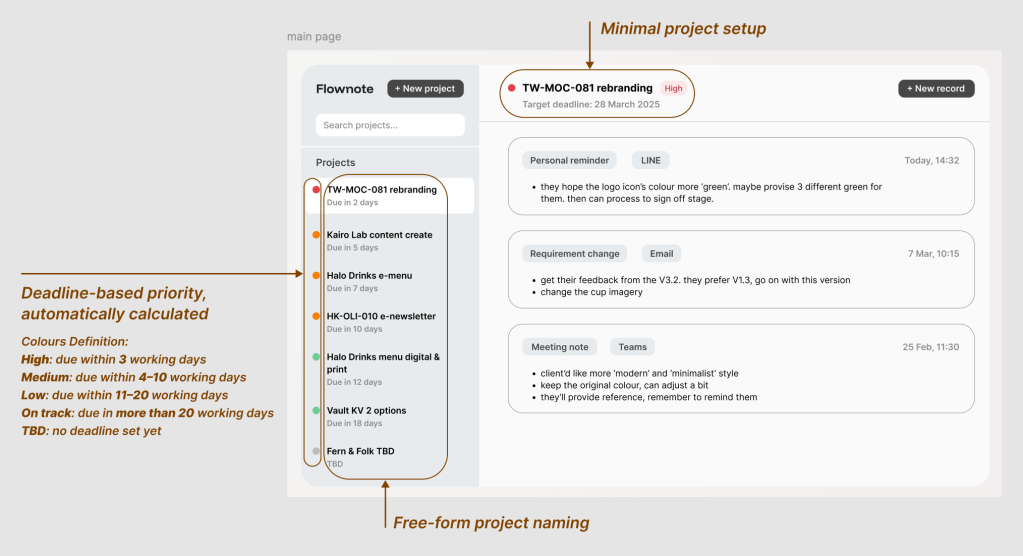
Creating a new project requires only two fields: a name and an optional deadline. This was a deliberate choice to keep the entry point as frictionless as possible. If setting up a project feels like effort, people will default back to a notes app. - Free-form project naming
There is no required format for project names. Users can write a project code, a client name, or both, whatever they would naturally remember. This reflects how people already name things in their personal notes, making the tool feel familiar rather than imposed. - Deadline-based priority, automatically calculated
Priority is not set manually. Instead, it is calculated from the target deadline using working days:
・High: due within 3 working days (red colour)
・Medium: due within 4–10 working days (orange colour)
・Low: due within 11–20 working days (green colour)
・On track: due in more than 20 working days (green colour)
・TBD: no deadline set yet (light grey colour)
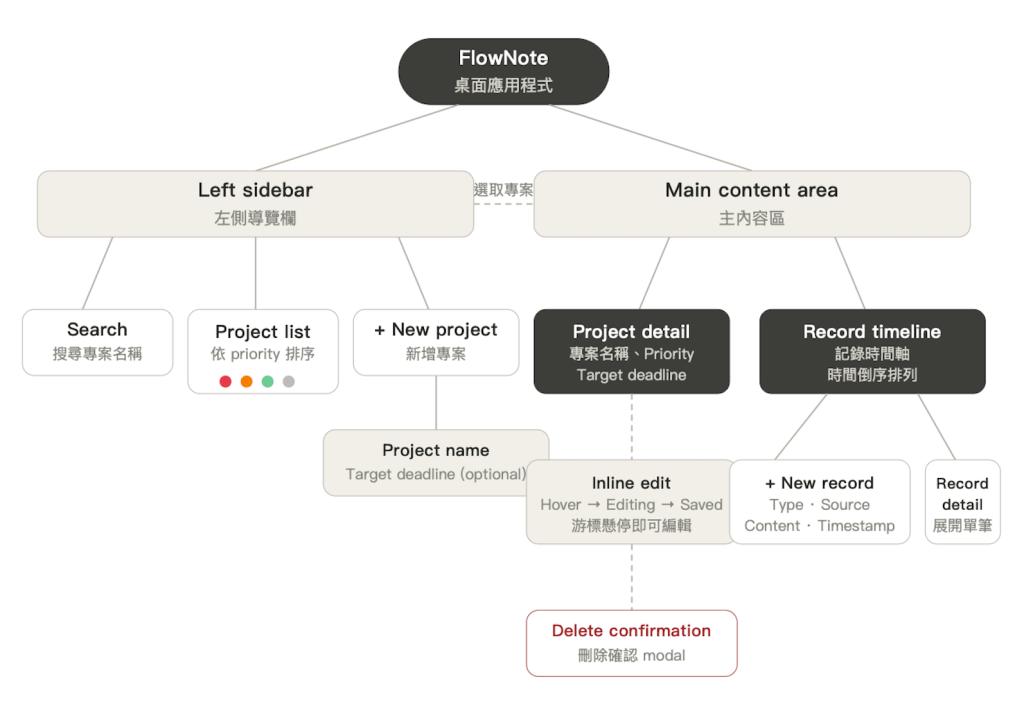
Information Architecture
User Flow
High-fidelity Prototype
Going forward
This project was designed with a specific user group in mind: professionals managing multiple concurrent projects in a fast-paced environment. The research sample was small (4 participants), which means the findings reflect tendencies rather than conclusive patterns. A larger and more diverse sample would help validate the design decisions more robustly.
Several features were deliberately left out of the MVP to keep the tool focused. Given more time, I would explore:
- Tabbed organisation within a project: for users managing long-running projects with a high volume of records
- Filter and search within a project: to surface specific record types quickly, such as all requirement changes or all meeting notes
- A mobile companion: for capturing updates on the go, since many participants received information via messaging apps on their phones
The most valuable lesson from this project was learning to define what a tool should not do. The temptation to add more features, such as calendar views, integrations, task management was real, but resisting it kept FlowNote true to its original purpose: a lightweight personal layer that sits alongside existing tools, not on top of them.
Thanks for reading.
Hope you enjoyed the journey.

 Sherlyn Lin